Hello World
How to view your Financial Aid Award
Follow these steps to view your financial aid Award:
1. Log-on to your MyCerritos account
2. Click on "Student Center"
3. View your Financial Aid Award.
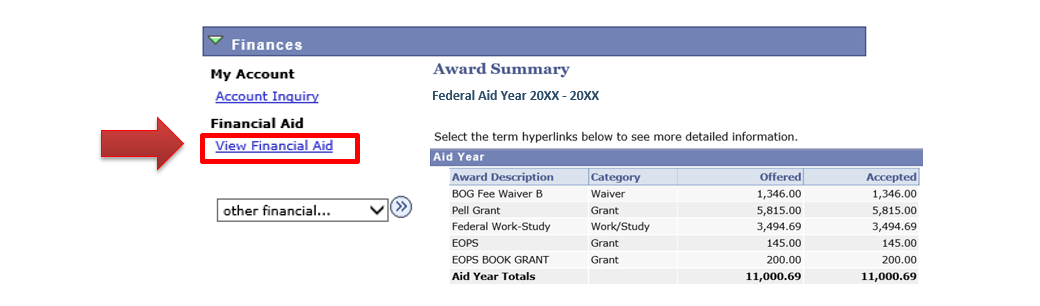
- Under the Finances section on your Student Center, click on "View Financial Aid" to view your awards and select the aid year you wish to view.
- Example: To view awards for the 2023-2024 aid year click on 2024.
- Example: To view awards for the 2023-2024 aid year click on 2024.
If you do not have a Financial Aid Award follow the 4 Steps to Cash to apply
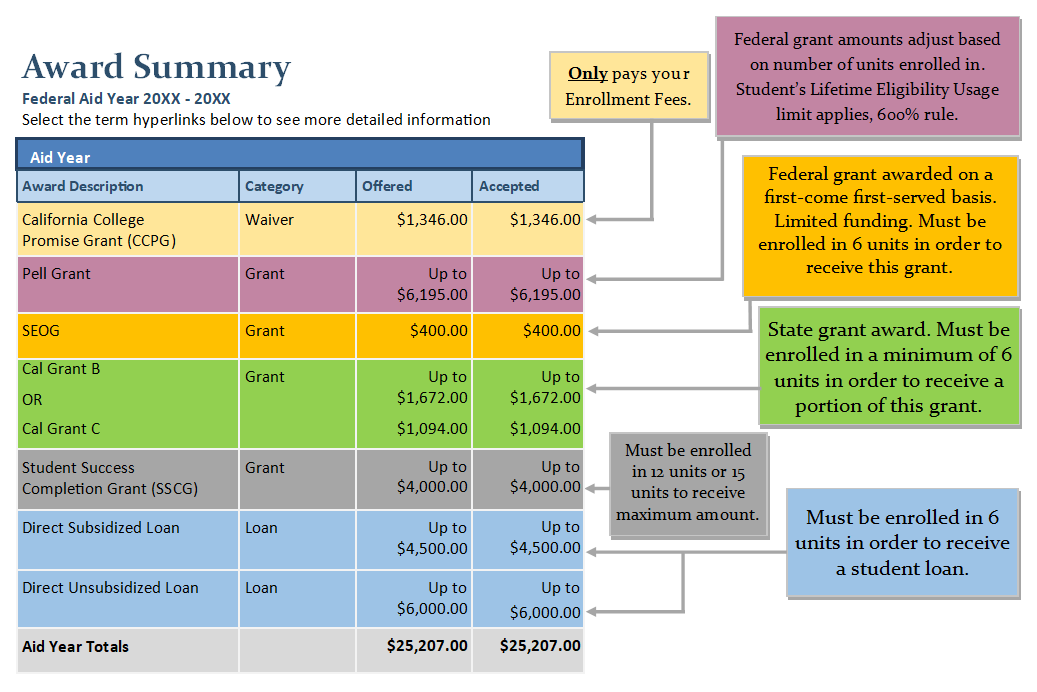
Tips on reviewing your Financial Aid Award
Step 4: How to check for your disbursement
If you are having trouble viewing or understanding your award visit us in the Financial Aid Office and join our virtual line QLess.